
- Home
- Products
- About Us
- Custom Services
- Solutions
- Resources
- News
- Contact
Views: 0 Author: Site Editor Publish Time: 2026-08-10 Origin: Site


Transitioning from traditional string lights to dynamic, matrix-style displays requires a shift from simple power management to data-driven pixel mapping. You leave behind basic plugs. Instead, you enter a world of precise digital control. Buyers at the decision stage must align hardware specifications like pixel pitch and voltage. You must match these physical elements to software capabilities. Otherwise, you risk severe network lag, ugly voltage drops, and frustrating weather-related failures mid-season.
This guide provides a technical evaluation framework for selecting, mapping, and deploying LED grid screen lights. You will learn exactly how to build residential or commercial programmable Christmas display systems. We focus heavily on physical implementation realities. You will also learn how to avoid common architectural mistakes before investing in hardware.
Hardware Architecture: Choosing between 5V and 12V full pixel RGB grid lights dictates your power injection strategy and maximum cable run lengths.
Controller Selection: Reliable scene control requires controllers that support E1.31 (sACN) or Art-Net protocols to handle high-channel-count matrix data without network bottlenecks.
Pixel Mapping Software: Open-source platforms (like xLights) and professional software (like Madrix) process grid data differently; software selection must match your controller’s processing limits.
Physical Deployment: Outdoor matrices introduce severe wind loads and thermal management challenges that must be engineered into the display structure.
We must compare two primary structural approaches to building a grid display. You need the right foundational architecture to meet your visual goals.
These turnkey units pack thousands of tiny LEDs onto rigid boards. You gain incredibly high resolution. They provide seamless scene rendering for text and complex video. Data cascading remains basically plug-and-play across panels. However, they carry significant disadvantages. The panels are much heavier. They require specific receiver cards like Colorlight to process data. Furthermore, solid panels act like massive sails during high winds. You must engineer your mounting frame to withstand intense wind loads.
Many lighting enthusiasts prefer building custom grids using individual pixels. You push individual LED nodes into perforated plastic sheets. You gain completely customizable sizing. Coro-mesh allows much better wind permeability. You can easily replace any individual broken pixel. Conversely, they offer much lower overall resolution. You will spend high labor hours physically pushing pixels into the matrix. They also demand highly complex power injection strategies.
Table 1: Matrix Panel vs. Custom Node Matrix Comparison
Feature | Pre-Assembled Panels (P5/P10) | Custom Node Grids (Coro/Bullet) |
|---|---|---|
Resolution | High (Tight pixel pitch) | Low (Typically 1-inch to 2-inch pitch) |
Wind Resistance | Poor (Acts as a solid block) | Good (Airflow through mesh) |
Maintenance | Requires replacing entire module | Easy to swap single broken nodes |
Setup Labor | Low (Plug and play modularity) | High (Manual insertion required) |
How do you choose? Base your decision heavily on viewing distance. Close viewing requires tight pixel pitch panels. Street-level viewing favors custom node grids. You must also evaluate your project timeline.
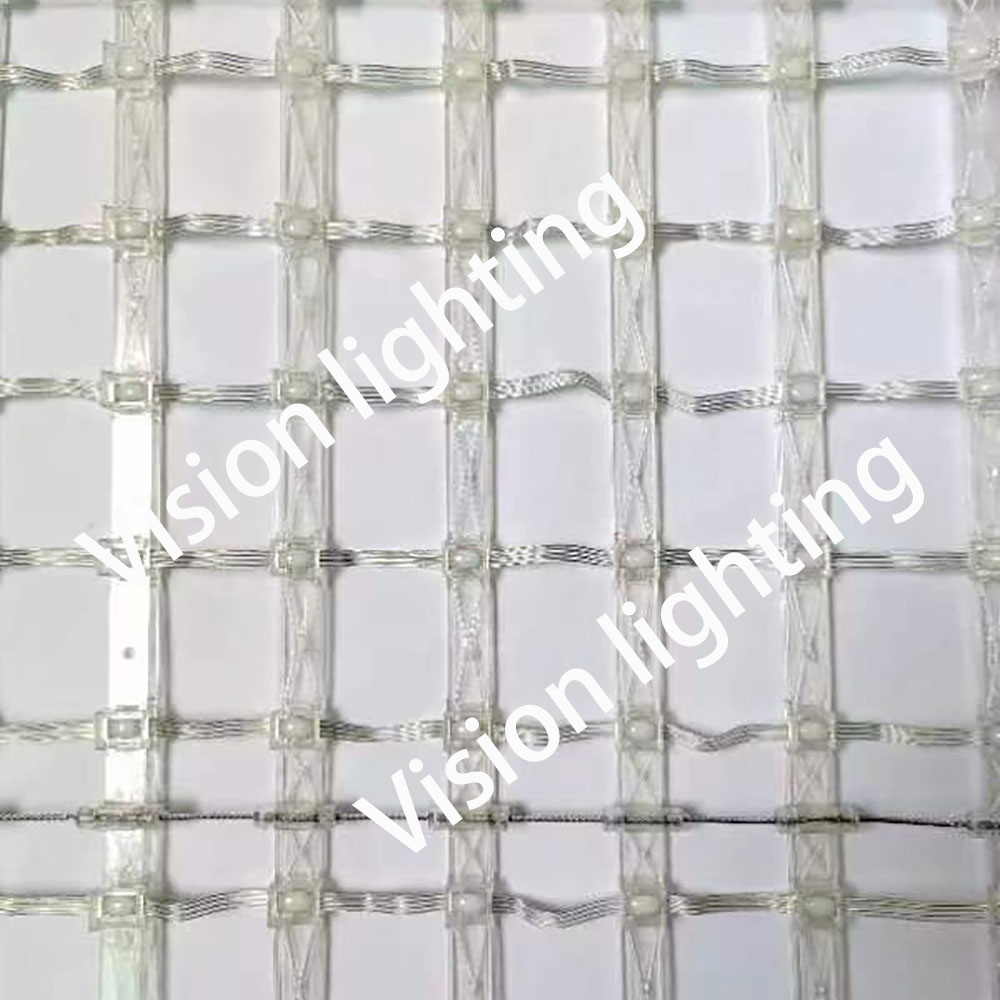
You must break down technical specifications carefully. You need stable performance for long-term RGB outdoor lighting.
Operating voltage fundamentally changes how you wire your display. 5V systems are generally more color-accurate. They draw less overall power per pixel. However, you must inject fresh power aggressively. You often need injections every 50 to 100 pixels. This prevents severe voltage drop. Voltage drop causes pink or yellowing hues at the ends of long runs.
Alternatively, 12V systems allow longer cable runs between power injections. You wire them faster. Unfortunately, they run hotter under load. They also consume significantly more total amperage across the entire matrix.
Moisture ruins electronics rapidly. Always require IP65 or IP67 ratings for all nodes and connections. Ensure your connections use reliable, industry-standard types. xConnect or Ray Wu pigtails work perfectly for sealing out water. Additionally, check for UV resistance on wiring jackets. Sun exposure quickly degrades cheap plastic. Bare wires will crack in freezing outdoor environments. We highly recommend inspecting cable jackets before deployment.
Network data must seamlessly translate into physical light. Controllers handle this massive data translation.
Standard DMX handles only 512 channels per universe. This is entirely insufficient for high-density grids. One P10 panel alone consumes hundreds of channels. Modern displays use E1.31 (sACN) or Art-Net protocols. sACN handles multicast and unicast traffic highly efficiently. It pushes thousands of channels over standard Ethernet cables. Art-Net provides similar high-speed capabilities. sACN generally handles network routing better for complex home setups.
Evaluate high-capacity pixel controllers carefully. Falcon and Kulp boards lead the enthusiast market. Specialized ESP32 boards work well for smaller, isolated setups. Consider your strict sizing criteria before buying.
Count the number of local ports you need.
Check expansion board compatibility for future growth.
Verify the maximum pixels per port at a 40fps refresh rate.
Standard refresh rates keep animations and scrolling text perfectly smooth.
Software bridges the gap between creative sequencing and hardware outputs. You must configure your full pixel RGB grid light correctly in the computer first.
We typically compare enthusiast standards against professional tools. xLights and Vixen dominate residential holiday shows. They offer incredible free support. Resolume and Madrix handle professional, commercial stage-mapping. Evaluate your software based on built-in matrix effects. Look for strong sub-modeling capabilities. Sub-modeling lets you map distinct shapes onto the grid. Community support is also incredibly valuable when troubleshooting complex effects.
First, define your physical grid orientation. You might use horizontal or vertical zig-zag wiring. Specify the starting corner accurately in your software settings. Next, address the grid logically. Map your software models directly to physical controller ports. You must also assign DMX universes correctly to avoid overlapping data. Finally, focus on network optimization. Avoid frame lag during dense scene control. Multi-layer effects consume heavy processing power. Use unicast IP targeting to reduce network flooding.
Deploying large-scale matrices introduces physical risks. You must mitigate these environmental challenges proactively.
Calculate wind resistance for your structures. Solid P10 panels catch enormous wind gusts. They can tear down entire framing systems. Perforated coro-mesh handles airflow much better. Always build extremely sturdy mounting frameworks. Use EMT conduit for rigid structural support. Implement EMT tensioning where applicable to prevent sagging. Add heavy guy-wire stabilization for any tall, freestanding grids.
Size your power supplies correctly. Standard MeanWell 350W or 400W units work exceptionally well. Always follow the 80% continuous load rule. Leave a 20% safety margin to prevent premature overheating. Weatherproof your enclosures properly. CG-1500 boxes provide excellent water resistance for power supplies and controllers. Ensure you allow for proper heat dissipation inside the box. Add active fan cooling for densely packed enclosures. Passive vents work fine for smaller setups.
A successful LED grid screen lights installation relies on precise integration. You must plan voltage carefully. Data protocols must match controller limits exactly. Physical structural integrity keeps everything safe from winter weather. We advise defining your physical dimensions first. Determine your ideal viewing distance next. Calculate your total pixel count early in the planning stage. This count completely dictates your controller size. It also dictates your total power supply requirements. Always finalize these numbers before purchasing your hardware.
A: P10 panels feature a 10mm pixel pitch. The general rule for comfortable viewing is one meter of distance per millimeter of pitch. Therefore, the optimal minimum viewing distance is around 10 meters (33 feet). Viewing them closer reveals individual pixels, breaking the visual illusion of seamless video or text.
A: The limit depends entirely on your desired refresh rate. At a standard 40 frames per second (fps), most controllers can reliably push 600 to 800 pixels per port. Pushing beyond 800 pixels usually forces you to drop the refresh rate to 20fps, causing choppy animations.
A: Power injection involves adding fresh power from the power supply to various points along a pixel string. It is necessary because low-voltage wiring suffers from voltage drop. The copper wire acts as a resistor. Without injection, pixels at the end of a long matrix run receive low voltage, causing dim or inaccurate colors.
A: While specialized controllers support Wi-Fi, we highly discourage it for dense matrices. High-channel-count sACN data generates heavy network traffic. Wi-Fi easily drops packets, causing flickering or stalled animations. Always use hardwired Ethernet connections from your show player to your pixel controller for maximum reliability.


